0.1.15
Introducing Debug Mode, an interactive debugging feature that lets you pause LLM requests before they're sent to the model. With debug mode enabled, you can inspect the full request payload, edit messages, parameters, and tool schemas in real time, then continue execution with your modifications—all without changing your application code.
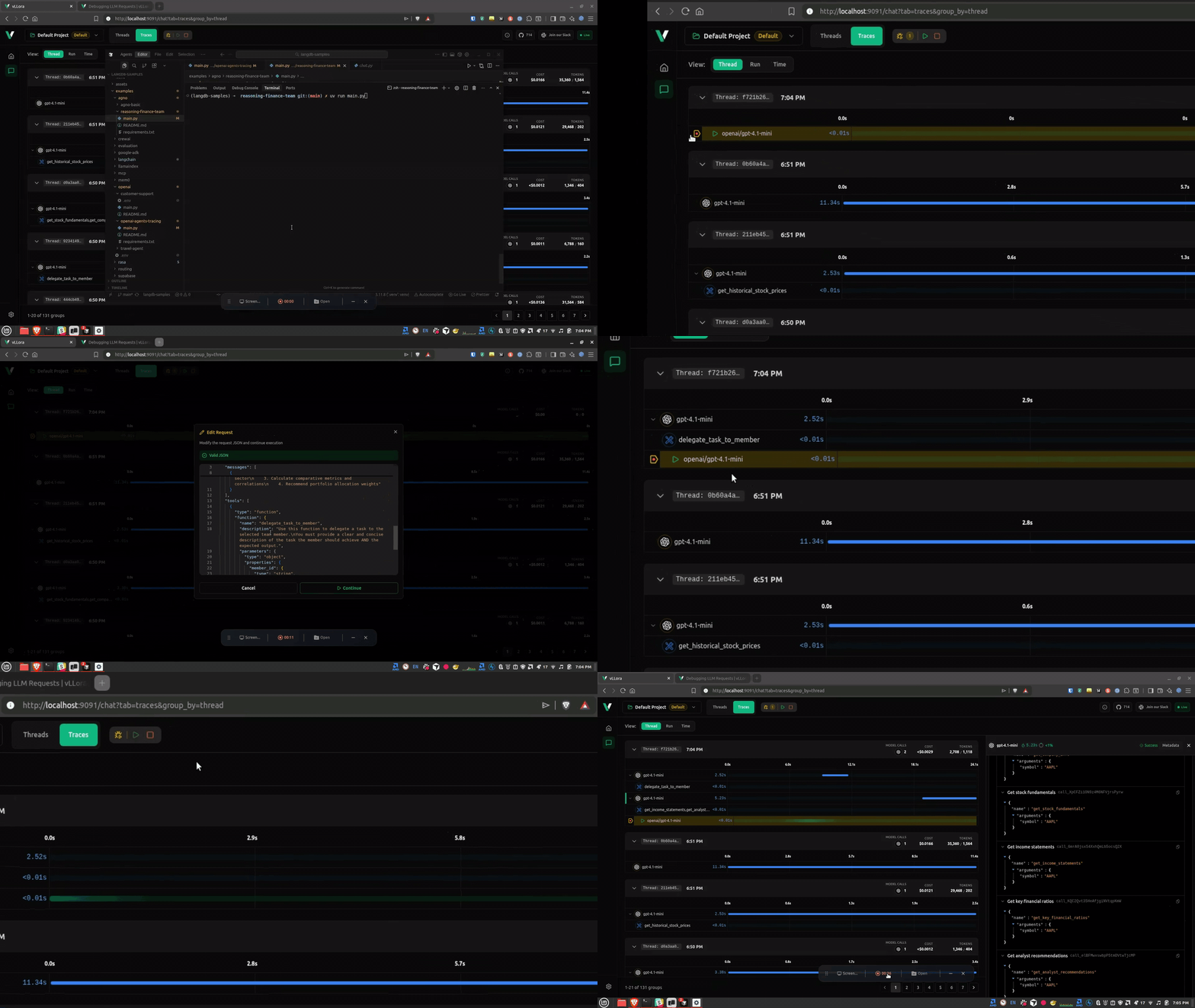
Debug mode is perfect for debugging agent prompts, verifying model selection, inspecting tool schemas, and tuning parameters on the fly. Simply enable the breakpoint toggle in the Traces view, and every outgoing LLM request will pause for inspection and editing.
With debug mode you can:
- Inspect the model, messages, parameters, and tool schemas
- Continue with the original request
- Modify the request and send your edited version instead
Learn more in the Debug Mode documentation.
Features
- add attributes field to GatewaySpanStartEvent and update related serialization logic (cdea3e8)
- add BreakpointReceiverGuard to handle span errors on receiver drop (ff1af55)
- enhance BreakpointManager to store and manage events by thread_id (97c4726)
- update BreakpointManager to include optional thread_id in requests and responses (4117bc7)