Lucy
Lucy is an in-app AI assistant that inspects your traces to diagnose errors, latency issues, and high costs. It replaces manual scrolling with automated root-cause analysis.
Quick Start
Lucy is available globally in the vLLora dashboard.
- Open any Trace Details or Thread.
- Click the Lucy icon in the bottom right corner.
- Ask a question (e.g., "What went wrong here?").
Example Commands
- General Debugging: "What is wrong with this thread?"
- Performance: "Show me the slowest operations."
- Cost Analysis: "Why is this run costing so much?"
- Specific Errors: "Why did the
research_flightstool fail?"
Failure Detection Capabilities
Lucy automatically detects specific patterns common in Agentic workflows:
| Issue Type | Description |
|---|---|
| Schema Mismatches | The model is hallucinating arguments (e.g., checkinDate vs check_in_date) or sending wrong data types. |
| Prompt Contradictions | The system prompt contains conflicting instructions (e.g., "Use tools" vs "Do not use external data"). |
| Silent Truncation | The model output was cut off by max_tokens, but the HTTP request appeared successful. |
| Retry Loops | The agent is repeatedly failing the same step without changing its approach. |
Example Analysis
Lucy provides a structured breakdown of issues found in the trace, sorted by severity.
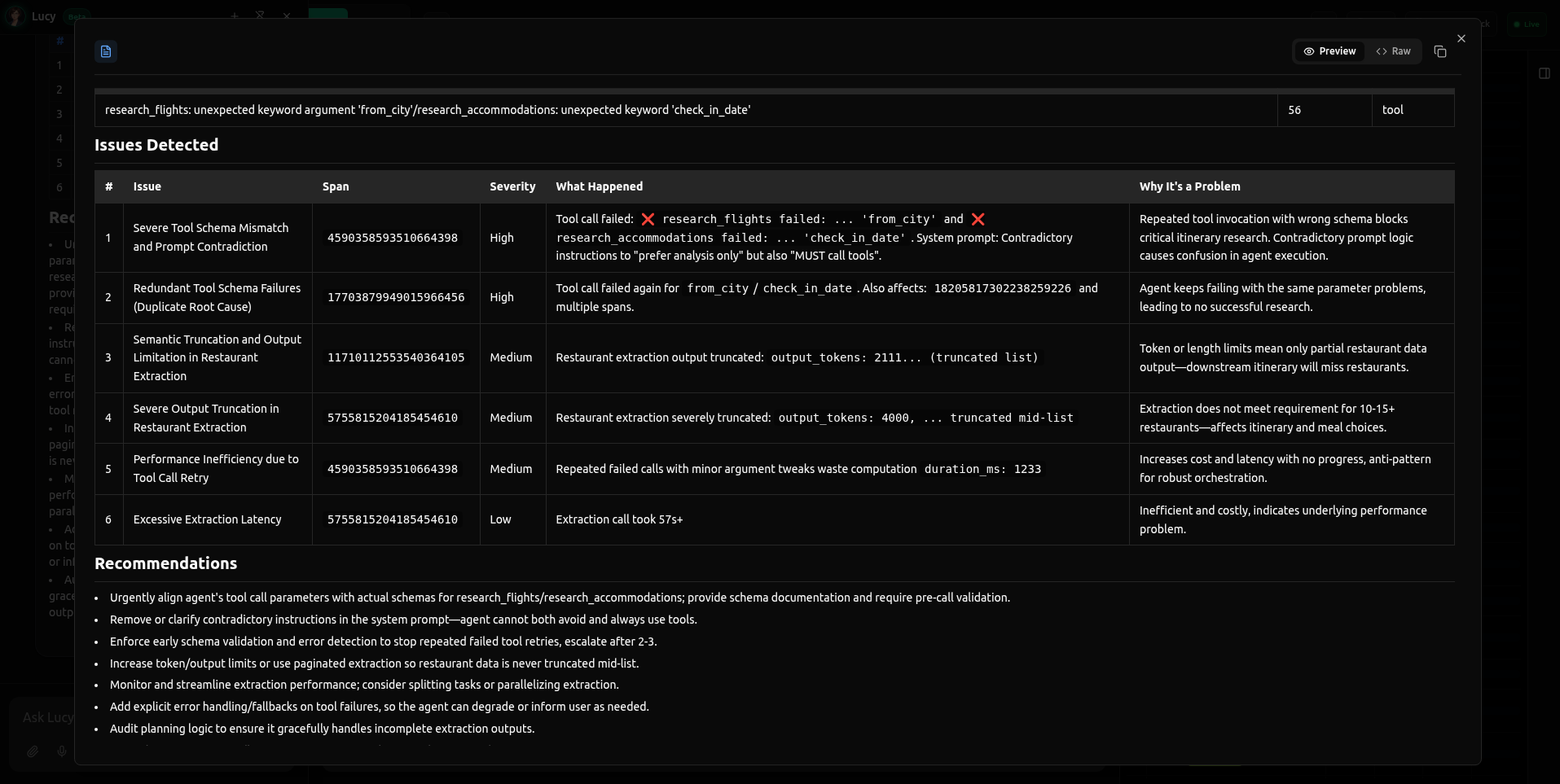
In the example above, Lucy detected:
- High Severity: A schema mismatch where the model used invalid arguments for a tool call.
- Medium Severity: A logic conflict in the system prompt causing the agent to hesitate.
- Low Severity: Output truncation in a data extraction step.